










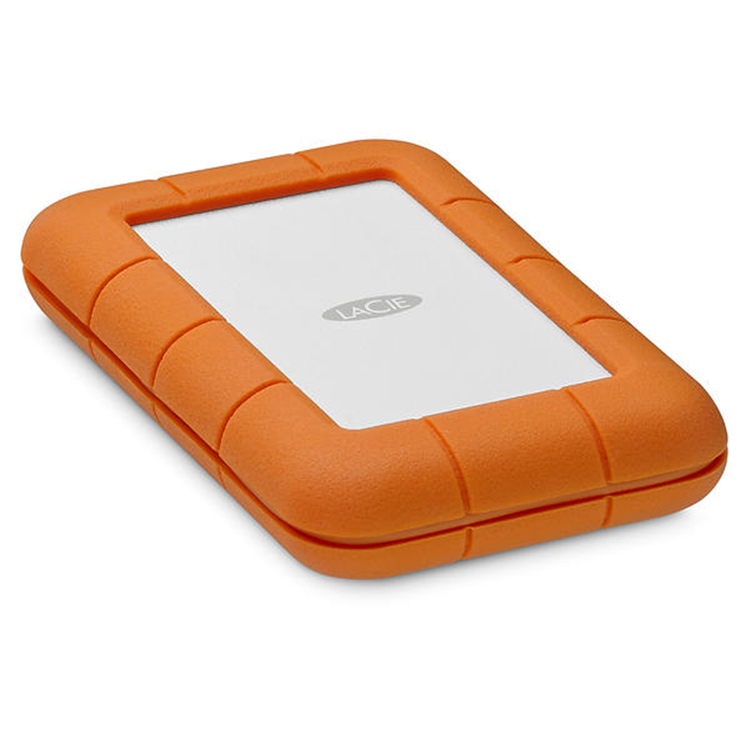
Lacie Rugged Secure 2TB Portable External HDD IP67-Rated - AES-256 hardware encrypted password
Pros Trust the Rugged Family. Since 2005, LaCie Rugged® portable hard drives have thrived where only the toughest survive - the film sets, photo shoots, and music studios of the world's most influential creative pros. Why? Because LaCie Rugged products are the industry's most trusted way to capture and transport data in the field. Rugged Drives for All-Terrain Reliability. From IP67-rated extreme water resistance to drop, rain, dust, and crush resistance - it's durability like this that keeps photographers and filmmakers coming back for Rugged drives. Compact, sturdy, and ready for anything, they're the ideal solution for transporting data on set, in the studio, and into the hands of your clients. See the Rugged SSD &; Rugged SSD Pro in action.
Spacious Hard Drives.RAID Versatility.Blazing-Fast SSDs. Say goodbye to long, drawn out transfers. Rugged hard drives, RAID solutions, and SSDs feature a variety of high capacity, high-speeds, and even NVMe-boosted performance so that you're no longer at the time-stealing mercy of RAW image files and high-resolution video. Transfer, edit, and hit your deadlines - faster. Encrypted Drives for Extra Protection. Select Rugged drives come with government-grade AES-256 self-encryption thanks to Seagate Secure™ Technology - ensuring your ideas and hard work stay safe from unauthorised access and intellectual property theft. Rescue Data Recovery Services. When it comes to unpredictable events such as water damage to your studio or a natural disaster, we've got your back. Most Rugged portable hard drives include Rescue Data Recovery Services lasting the length of your warranty. We'll work tirelessly to help you save your data and money with one in-lab recovery service.
- Capacity
- 2TB
- Storage Type
- HDD
- Interface
- 1 × USB-C (USB 3.0 compatible)
- Interface Transfer Rates
- USB-C: 5Gb/s
- Max. Speeds
- 110MB/s*
- Drop Resistance
- 4-ft (1.2m)**
- Length (in/mm)
- 0.736 in/18.7 mm
- Width (in/mm)
- 3.386 in/86 mm
- Depth (in/mm)
- 5.319 in/135.1 mm
- Weight (lb/kg)
- 0.22 lb/0.1 kg
- Minimum System Requirements
- Computer with a Thunderbolt, USB-C (Thunderbolt 3 and USB 3.1), USB 3.0, FireWire 800, or USB 2.0 port Minimum free disk space: 600MB recommended
- Operating system:
- USB-C: Latest version of Windows 7 and later / Mac OS X 10.11 and later
- Software
- LaCie Toolkit Software Suite
- Included
- LaCie® Rugged® RAID Shuttle
- USB-C (USB 3.1 10 Gb/s) cable
- USB-C to USB-A cable
- Optional external power supply
- Quick Installation Guide
- Adobe® Creative Cloud® All Apps Plan
- Footnote
- * Actual data rates may vary depending on operating environment and other factors, such as chosen interface, RAID mode, and disk capacity.
- ** In non-operating mode.
As an international traveller you are entitled to bring a certain amount/value of goods that are free of Customs duty and exempt Goods and Services tax (GST) into New Zealand. This is called your duty free allowance and personal goods concession. It is important to review these for any purchases you make on The Mall.
Your duty free allowance entitles you to bring into New Zealand the following quantities of alcohol products free of customs duty and GST provided you are over 17 years of age. You do need to be 18 years or over to purchase.
- Up to six bottles (4.5 litres) of wine, champagne, port or sherry or
- Up to twelve cans (4.5 litres) of beer
- And three bottles (or other containers) each containing not more than 1125ml of spirits, liqueur, or other spirituous beverages
Goods other than alcohol and tobacco, whether purchased overseas or purchased duty free in New Zealand, that have a combined total value not exceeding NZ$700 may also be brought as part of your personal goods concession.
When travelling overseas there are legal limits on the amount of duty free alcohol and other goods you can take with you. These amounts will vary depending on the country you are flying into. We always recommend you check the latest limits and exemptions.
Your order can be picked up at an Auckland Airport Collection Point. There is one in departures and one at arrivals in the international terminal. Alternatively, if you are arriving between 11pm and 6am you will be able to collect your order from our lockers. See map
Please bring your order confirmation email and your passport. If you are collecting from lockers you will have been sent an email with your access code, be sure to have this on you in order to collect your order.
If you’re departing Auckland Airport, we recommend that you come to the Auckland Airport Collection Point at least 60 minutes before your flight. If you miss your pickup time or your flight details have changed please let us know as soon as possible.
When you collect your order you will have the opportunity to inspect the items and sign for them.
If you need to return an item, our Collection Point team are there to help you. If you are collecting after hours please return the item to your locker and our team will be in touch as soon as possible. You may also like to view our Returns & refunds which provides information on how this works and outlines the individual retailer's returns and refunds policies.
After Hours Collections
If your order needs to be collected after the Auckland Airport Collection Point desk is closed, your order will be placed in the lockers next to the desk. All the details you will need to collect your order will be provided in your Order Confirmation and Ready to Collect Email.