










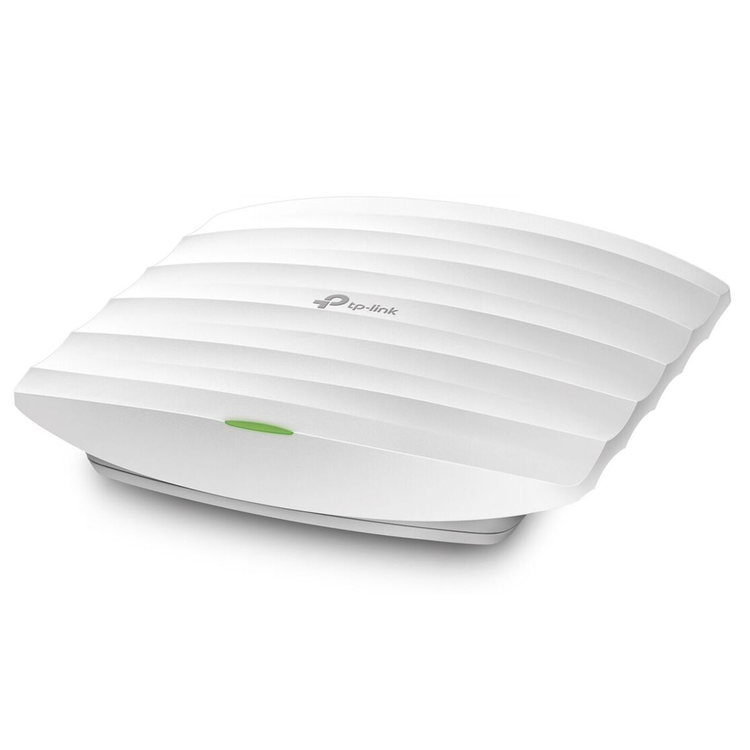
TP-Link Omada EAP225 (AC1350) Dual-Band 5-Stream Wi-Fi 5 Access Point
- Simultaneous 450Mbps on 2.4GHz and 867Mbps on 5GHz totals 1317Mbps Wi-Fi speeds- Free EAP Controller Software lets administrators easily manage hundreds of EAPs- Compatibility with 802.3af and Passive PoE support makes deployment effortless and flexible- Captive portal provides a convenient method for guest authentication- Band Steering Automatically moves dual band devices onto the wider 5GHz band for faster connections- MU-MIMO means access points simultaneously transfer data with multiple devices, speeding up connections- Beamforming concentrates signal towards where you need it most, providing a fast and stable Wi-Fi experience- Supports management VLAN for an enhanced network management- Schedules can be set so access points automatically reboot and Wi-Fi turns on/off at the times you choose
Superior Wi-Fi Speeds with MU-MIMO Technology Outfitted with the latest 802.11ac Wave 2 MU-MIMO technology, the EAP225 easily delivers dual-band Wi-Fi speeds of up to 1350 Mbps to multiple devices at the same time.
EAP Controller Software Easy for Centralized Management Manage and monitor hundreds of EAPs with ease, all from a single location. The TP-Link Omada Controller software provides an intuitive management interface. Control and map out the entire network from any connected PC. There's no added cost, and no need for special training. Business Wi-Fi management has never been so efficient and cost-effective.
Efficient Guest Authentication with Facebook and SMS Support Captive portal helps maintain only authorized guests to use the network, presenting devices with a convenient, user-friendly authentication method to grant Wi-Fi access. The addition of SMS and Facebook authentication simplifies the captive portal even further to simplify connectivity and boost your business.
Multiple PoE Options for Easy Installation EAP225 supports both 802.3af PoE and Passive PoE power supply, can be either powered by a PoE switch or the provided PoE adapter, making deployment effortless and flexible.
Unified Wi-Fi for Multi-user Business Environment The Omada business-grade 11ac Wi-Fi solution is engineered to handle heavy multi-user usage in large areas without encountering the same stability issues found with standard routers and access points purposed for home use. It's the perfect fit for motels, salons, chain-stores, schools, and restaurants.
- Interface
- Gigabit Ethernet (RJ-45) Port x 1
- (Support IEEE802.3af or passive PoE)
- Button
- Reset
- Power Supply
- 802.3af PoE or passive PoE
- Power Consumption
- 12.6W
- Dimensions
- 8.1 × 7.1 × 1.5 in. (205.5 × 181.5 × 37.1 mm)
- Antenna Type
- Internal omni directional
- 2.4GHz: 4dBi x 3
- 5GHz: 5dBi x 2
- Mounting
- Ceiling mount or wall mount (mounting kit included)
- Physical Security Lock
- Yes
- Hardware Watch Dog
- Yes
- Wireless Standards
- IEEE 802.11ac/n/g/b/a
- Frequency
- 2.4GHz and 5GHz
- Signal Rate
- 5GHz:Up to 867Mbps
- 2.4GHz:Up to 450Mbps*
- Wireless Functions
- Multiple SSIDs (Up to 16 SSIDs, 8 for each band)
- Enable/Disable Wireless Radio
- Automatic Channel Assignment
- Transmit Power Control (Adjust Transmit Power on dBm)
- QoS(WMM)
- Band Steering
- Load Balance
- MU-MIMO*
- Airtime Fairness*
- Beamforming*
- Rate Limit
- Reboot Schedule
- Wireless Schedule
- Wireless Statistics based on SSID/AP/Client
- Wireless Security
- Captive Portal Authentication
- Access Control
- Wireless Mac Address Filtering
- Wireless Isolation Between Clients
- SSID to VLAN Mapping
- Rogue AP Detection
- 802.1X Support
- Transmission Power
- =24dBm(2.4GHz)
- =22dBm(5GHz)
- EAP Controller Software
- Yes
- Email Alerts
- Yes
- LED ON/OFF Control
- Yes
- Management MAC Access Control
- Yes
- SNMP
- v1,v2c
- System Logging Local/Remote Syslog
- Local/Remote Syslog
- Telnet
- Yes
- Web-based Management
- HTTP/HTTPS
- L3 Management
- Yes
- Multi-site Management
- Yes
- Management VLAN
- Yes
- Certification
- FCC, RoHS
- Package Contents
- AC1350 Wireless MU-MIMO Gigabit Ceiling Mount Access Point EAP225
- Passive PoE Adapter
- Power Cord
- Mounting Kit
- Installation Guide
- System Requirements
- Microsoft Windows XP, Vista, Windows 7, Windows 8, Windows10, Linux
- Environment
- Operating Temperature: 0?~60? (32?~144?)
- Storage Temperature: -40?~70? (-40?~158?)
- Operating Humidity: 10%~90% non-condensing
- Storage Humidity: 5%~90% non-condensing
As an international traveller you are entitled to bring a certain amount/value of goods that are free of Customs duty and exempt Goods and Services tax (GST) into New Zealand. This is called your duty free allowance and personal goods concession. It is important to review these for any purchases you make on The Mall.
Your duty free allowance entitles you to bring into New Zealand the following quantities of alcohol products free of customs duty and GST provided you are over 17 years of age. You do need to be 18 years or over to purchase.
- Up to six bottles (4.5 litres) of wine, champagne, port or sherry or
- Up to twelve cans (4.5 litres) of beer
- And three bottles (or other containers) each containing not more than 1125ml of spirits, liqueur, or other spirituous beverages
Goods other than alcohol and tobacco, whether purchased overseas or purchased duty free in New Zealand, that have a combined total value not exceeding NZ$700 may also be brought as part of your personal goods concession.
When travelling overseas there are legal limits on the amount of duty free alcohol and other goods you can take with you. These amounts will vary depending on the country you are flying into. We always recommend you check the latest limits and exemptions.
Your order can be picked up at an Auckland Airport Collection Point. There is one in departures and one at arrivals in the international terminal. Alternatively, if you are arriving between 11pm and 6am you will be able to collect your order from our lockers. See map
Please bring your order confirmation email and your passport. If you are collecting from lockers you will have been sent an email with your access code, be sure to have this on you in order to collect your order.
If you’re departing Auckland Airport, we recommend that you come to the Auckland Airport Collection Point at least 60 minutes before your flight. If you miss your pickup time or your flight details have changed please let us know as soon as possible.
When you collect your order you will have the opportunity to inspect the items and sign for them.
If you need to return an item, our Collection Point team are there to help you. If you are collecting after hours please return the item to your locker and our team will be in touch as soon as possible. You may also like to view our Returns & refunds which provides information on how this works and outlines the individual retailer's returns and refunds policies.
After Hours Collections
If your order needs to be collected after the Auckland Airport Collection Point desk is closed, your order will be placed in the lockers next to the desk. All the details you will need to collect your order will be provided in your Order Confirmation and Ready to Collect Email.