










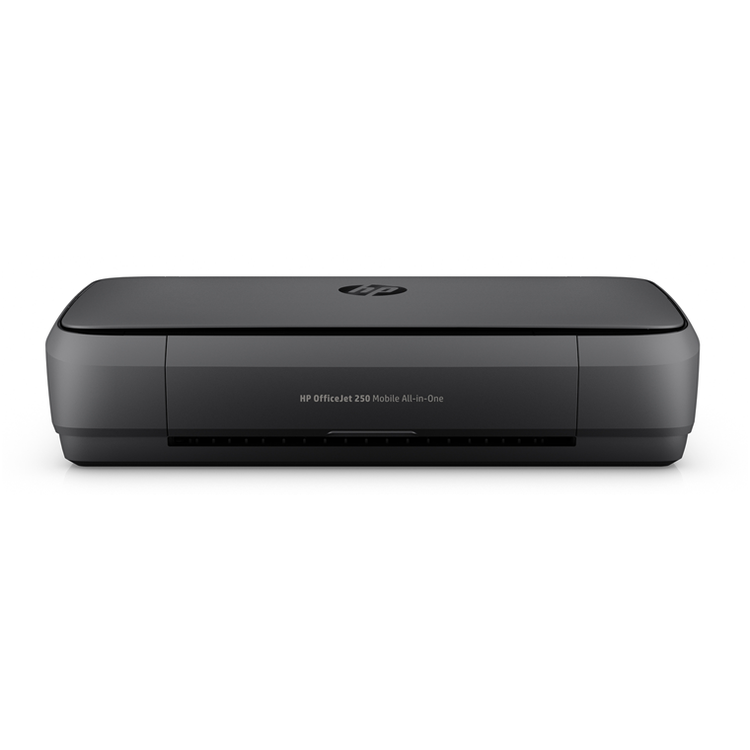
HP Officejet 250 Printer Print, scan, and copy from nearly anywhere with this portable all-in-one. Easily connect to your printer with Bluetooth® Smart technology and Wi-Fi Direct®. This quiet workhorse has a long battery life and delivers the most pages.Ideal for mobile professionals and telecommuters who need a high-quality, reliable, portable all-in-one they can take virtually anywhere. Portability meets productivity - Quickly print, copy, and scan multipage documents hands-free with the 10-page automatic document feeder.- Simply connect and print from your laptop or mobile devices.- Start printing right out of the box with quick and easy setup, using HP Auto Wireless Connect.- This durable, compact all-in-one fits in your car, backpack, and more for convenient printing anywhere. Lead the way with fast, easy mobile printing - Reduce charging interruptions with a long-lasting battery.- Get the highest page yields of any in-class all-in-one, using Original HP cartridges. - Set the pace for success wherever you go. Keep moving through the day with fast print speeds.- The 2.65-inch (6.73 cm) color touchscreen makes for easy printing, scanning, and copying. High-powered quality and reliability - Power through the workday. Charge from home, in your car or office, and more.- Plug in your AC power source to charge within 90 minutes while the printer is off, with HP Fast Charge.- Minimize disruptions with premium design and quiet performance. Impress clients, without noisy interruptions.- Get high-quality prints time after time with an all-in-one designed and built to be reliable.
- Functions
- Print, copy, scan
- Copies, maximum
- Up to 50 copies
- Power
- Input voltage: 100 to 240 VAC, 50 to 60 Hz; 200 to 240 VAC, 50 to 60 Hz
- Power consumption
- 0.14 watts (Manual-Off), 3.4 watts (Standby), 0.81 watts (Sleep)
- Energy efficiency
- ENERGY STAR® qualified
- Operating temperature range
- 41 to 104ºF
- Operating humidity range
- 20 to 80% RH
- Dimensions (W X D X H)
- 14.96 x 7.8 x 3.6 in
- Dimensions Maximum (W X D X H)
- 14.97 x 15.8 x 10.6 in ( Scan + Print Tray opened)
- Weight
- 6.51 lb (6.73 lb with Battery)
- Package weight
- 10.58 lb
- What's in the box
- HP OfficeJet 250 Mobile All-in-One Printer; HP 62 Setup Black Ink Cartridge (~200 pages); HP 62 Setup Tricolor Ink Cartridge (~120 pages); Software CD; Setup Poster; Power Cord
- Cable included
- o, please purchase USB cable separately
- Software included
- HP Dropbox, HP Google Drive, Microsoft DotNet
- First page out (ready) black
- On AC: as fast as 11 s; On Battery: as fast as 11 s
- First page out (ready) color
- On AC: as fast as 13 s; On Battery: as fast as 14 s
- Resolution (black)
- Up to 1200 x 1200 rendered dpi (when printing from a computer)
- Resolution (color)
- Up to 4800 x 1200 optimized dpi color (when printing from a computer and 1200 input dpi)
- Monthly duty cycle
- Up to 500 pages
- Print speed, black (ISO, laser comparable)
- On AC: up to 10 ppm; On Battery: up to 9 ppm
- Recommended monthly page volume
- 100 to 300
- Print Technology
- HP Thermal Inkjet
- Display
- 2.65" CGD DISPLAY, IR Touch
- Processor speed
- 700 MHz
- Number of print cartridges
- 2: 1 black, 1 color (cyan, magenta, yellow)
- Replacement cartridges
- HP 62 Black Original Ink Cartridge; HP 62 Tri-color Original Ink Cartridge; HP 62XL High Yield Black Original Ink Cartridge; HP 62XL High Yield Tri-color Original Ink Cartridge
- Compatible ink types
- Dye-based (color); pigment-based (black)
- Print languages
- HP PCL 3 GUI
- Automatic paper sensor
- Yes
- Print speed, color (ISO, laser comparable)
- On AC: up to 7 ppm; On Battery: up to 6 ppm
- Paper trays, standard
- 1
- Paper trays, maximum
- 1
- Mobile Printing Capability
- HP ePrint
- Connectivity, standard
- 1 USB 2.0 device; 1 USB 2.0 host; 1 wireless; 1 wifi direct; 1 BLE
- Print speed, black (draft)
- On AC: up to 20 ppm; On Battery: up to 18 ppm
- Minimum system requirements
- Apple® OS X v10.11 El Capitan, OS X v10.10 Yosemite, OS X v10.9 Mavericks; 1 GB HD; Internet required; USB
- Windows 10, 8.1, 8, 7: 32-bit or 64-bit, 2 GB available hard disk space, CD-ROM/DVD drive or Internet connection, USB port, Internet Explorer. Windows Vista: (32-bit only), 2 GB available hard disk space, CD-ROM/DVD drive or Internet connection, USB port, Internet Explorer 8. Windows XP SP3 or higher (32-bit only): any Intel Pentium II, Celeron or 233 MHz compatible processor, 850 MB available hard disk space, CD-ROM/DVD drive or Internet connection, USB port, Internet Explorer 8. Apple OS X v10.11 El Capitan, OS X v10.10 Yosemite, OS X v10.9 Mavericks; 1 GB HD; Internet required; USB. Linux (For more information, see http://hplipopensource.com/hplip-web/index.html)
- Compatible operating systems
- Windows 10, 8.1, 8, 7: 32-bit or 64-bit, 2 GB available hard disk space, CD-ROM/DVD drive or Internet connection, USB port, Internet Explorer. Windows Vista: (32-bit only), 2 GB available hard disk space, CD-ROM/DVD drive or Internet connection, USB port, Internet Explorer 8. Windows XP SP3 or higher (32-bit only): any Intel Pentium II, Celeron or 233 MHz compatible processor, 850 MB available hard disk space, CD-ROM/DVD drive or Internet connection, USB port, Internet Explorer 8. Apple OS X v10.11 El Capitan, OS X v10.10 Yosemite, OS X v10.9 Mavericks; 1 GB HD; Internet required; USB. Linux (For more information, see http://hplipopensource.com/hplip-web/index.html)
- Memory card compatibility
- None
- Memory, standard
- 256 MB DDR3
- Memory, maximum
- 128 MB
- Print speed, color (draft)
- On AC: up to 19 ppm; On Battery: up to 17 ppm
- Supported network protocols
- Wi-Fi network support
- Paper handling input, standard
- Up to 50
- Duplex printing
- Manual (driver support provided)
- Envelope input capacity
- Up to 5
- Borderless printing
- Yes (up to 5 x 7 in, 127 x 177 mm)
- Media sizes supported
- A4; A5 ; A6; B5 (ISO); B5 (JIS);envelopes (A2; C5; C6; DL); photo (10 x 15 cm; L; 2L); Japanese Postcard; Ofuku Hagaki
- Media sizes, custom
- 3 x 8.5 to 4 x 14 in
- Media types
- Plain Paper; HP Photo Papers; HP Matte Brochure or Professional Paper; HP Matte Presentation Paper; HP Glossy Brochure or Professional Paper; Other Photo Inkjet Papers; Other Matte Inkjet Papers; Other Glossy Inkjet Papers; Plain Paper, Light/Recycled
- Recommended media weight
- 20 lb
- Supported media weight
- 16 to 32 lb (plain paper); 20 to 55 lb (envelope); up to 110 lb (cards)
- Media weights by paper path
- 60 to 300 g/m²
- Scanner type
- Sheet-feed
- Print speed, black (normal)
- On AC: up to 10 ppm; On Battery: up to 9 ppm
- Scan file format
- Scan File Type supported by Software: Bitmap (.bmp), JPEG (.jpg), PDF (.pdf), PNG (.png), Rich Text (.rtf), Searchable PDF (.pdf), Text (.txt), TIFF (.tif)
- Scan resolution, hardware
- Up to 600 x 600 dpi
- Scan resolution, optical
- Up to 600 dpi
- Scan size (ADF), maximum
- 8.5 x 14 in
- Print speed, color (normal)
- On AC: up to 7 ppm; On Battery: up to 6 ppm
- ADF Capacity
- Up to 10
- Digital send file Formats
- PDF; JPEG; and Editable Text (OCR) formats supported
- Copy speed black (draft)
- On AC: up to 18 ppm; On Battery: up to 17 ppm
- Copy speed color (draft)
- On AC: up to 15.5 ppm; On Battery: up to 14.5 ppm
- Copy resolution (black text)
- Up to 600 dpi
- Copy resolution (colour text and graphics)
- Up to 600 dpi
- Copy reduce / enlarge settings
- 25 to 400%
As an international traveller you are entitled to bring a certain amount/value of goods that are free of Customs duty and exempt Goods and Services tax (GST) into New Zealand. This is called your duty free allowance and personal goods concession. It is important to review these for any purchases you make on The Mall.
Your duty free allowance entitles you to bring into New Zealand the following quantities of alcohol products free of customs duty and GST provided you are over 17 years of age. You do need to be 18 years or over to purchase.
- Up to six bottles (4.5 litres) of wine, champagne, port or sherry or
- Up to twelve cans (4.5 litres) of beer
- And three bottles (or other containers) each containing not more than 1125ml of spirits, liqueur, or other spirituous beverages
Goods other than alcohol and tobacco, whether purchased overseas or purchased duty free in New Zealand, that have a combined total value not exceeding NZ$700 may also be brought as part of your personal goods concession.
When travelling overseas there are legal limits on the amount of duty free alcohol and other goods you can take with you. These amounts will vary depending on the country you are flying into. We always recommend you check the latest limits and exemptions.
Your order can be picked up at an Auckland Airport Collection Point. There is one in departures and one at arrivals in the international terminal. Alternatively, if you are arriving between 11pm and 6am you will be able to collect your order from our lockers. See map
Please bring your order confirmation email and your passport. If you are collecting from lockers you will have been sent an email with your access code, be sure to have this on you in order to collect your order.
If you’re departing Auckland Airport, we recommend that you come to the Auckland Airport Collection Point at least 60 minutes before your flight. If you miss your pickup time or your flight details have changed please let us know as soon as possible.
When you collect your order you will have the opportunity to inspect the items and sign for them.
If you need to return an item, our Collection Point team are there to help you. If you are collecting after hours please return the item to your locker and our team will be in touch as soon as possible. You may also like to view our Returns & refunds which provides information on how this works and outlines the individual retailer's returns and refunds policies.
After Hours Collections
If your order needs to be collected after the Auckland Airport Collection Point desk is closed, your order will be placed in the lockers next to the desk. All the details you will need to collect your order will be provided in your Order Confirmation and Ready to Collect Email.