










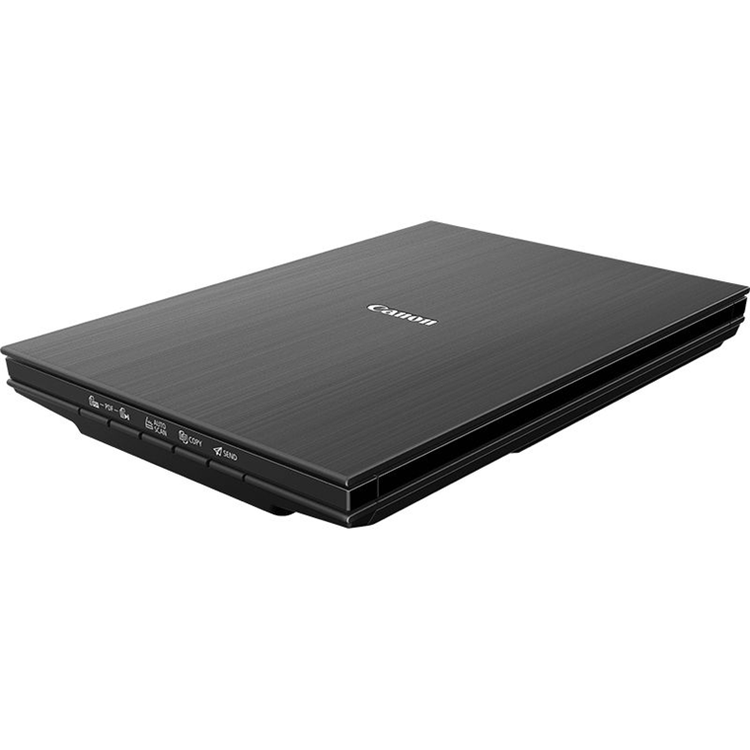


Impressively fast and sharp
Efficiently create high-resolution 4800 x 4800 dpi scans of your photos or documents in just 8 seconds, courtesy of Canon's LiDE technology.
Space-saving design
Free valuable desk space with the upright scanning and storage option. The classy design of this compact scanner will adapt effortlessly to a home or office environment.
Improved accuracy
Produce and access highly accurate scans with a single button. Bulky documents up to 21mm thick can also be expertly scanned using the double hinge Z-Lid feature.
Easy and instant
Work fast with the EZ buttons that allow you to instantly Auto Scan, copy, email, and produce PDFs, plus an additional fifth EZ button to complete multi-page PDFs.
Smart connectivity
Scan confidently through a convenient USB Type-C connection. Simply plug into a PC or laptop and scan in seconds, without relying on a power outlet.
Type
Flatbed Scanner
Scanning element
CIS
Light source
3-color (RGB) LED
Optical resolution
4800 x 4800dpi
Selectable resolution
25 - 19200dpi
Interface
USB-Type C (USB 3.0 and 2.0 compatible)
Scanning gradation (colour)
48 bit input -> 48/24 bit output
Scanning gradation (greyscale)
16 bit input -> 8 bit output
Maximum Document Size
A4 / Letter (216 x 297mm)
EZ-Scan Buttons
5 buttons (PDF x 2, AUTOSCAN, COPY, SEND)
Scanning speed
(colour)
(Reflective)
25.4msec/line (4800 dpi)
14.8msec/line (2400 dpi)
6.6msec/line (1200 dpi)
3.8msec/line (600 dpi)
1.7msec/line (300 dpi)
(greyscale, B&W)
(Reflective)
8.2msec/line (4800 dpi)
4.3msec/line (2400 dpi)
2.2msec/line (1200 dpi)
1.3msec/line (600 dpi)
1.7msec/line (300 dpi)
Scan speed (A4, 300dpi, Colour)
Approx. 8 sec
Scan speed (4x6", 300dpi, Colour)
Approx. 4 sec
Preview Speed
Approx. 7 sec
Software Included
Scan Gear for Win
Scan Utility for Win
Power Supply
Supplied via USB port
Power Consumption
approx. 4.5W (in operation, maximum)
approx. 0.3W (standby)
Dimensions
250 x 365 x 39 mm
Weight
1.7kg
Operating Temperature range
5 - 35 °C
Operating Humidity Range
10 - 90 %RH, without condensation formation
Supported Operating Systems
Windows 10?Windows 8.1?Windows 7 SP189
Operation can only be guaranteed on a PC with pre-installed Windows 7 or later.
OS X 10.11.6?macOS 10.12?macOS 10.13
Minimum System Requirements
Display: 1024 x 768 XGA
- Type
- Flatbed Scanner
- Scanning element
- CIS
- Light source
- 3-color (RGB) LED
- Optical resolution
- 4800 x 4800dpi
- Selectable resolution
- 25 - 19200dpi
- Interface
- USB-Type C (USB 3.0 and 2.0 compatible)
- Scanning gradation (colour)
- 48 bit input -> 48/24 bit output
- Scanning gradation (greyscale)
- 16 bit input -> 8 bit output
- Maximum Document Size
- A4 / Letter (216 x 297mm)
- EZ-Scan Buttons
- 5 buttons (PDF x 2, AUTOSCAN, COPY, SEND)
- Scanning speed
- (colour)
- (Reflective)
- 25.4msec/line (4800 dpi)
- 14.8msec/line (2400 dpi)
- 6.6msec/line (1200 dpi)
- 3.8msec/line (600 dpi)
- 1.7msec/line (300 dpi)
- (greyscale, B&W)
- (Reflective)
- 8.2msec/line (4800 dpi)
- 4.3msec/line (2400 dpi)
- 2.2msec/line (1200 dpi)
- 1.3msec/line (600 dpi)
- 1.7msec/line (300 dpi)
- Scan speed (A4, 300dpi, Colour)
- Approx. 8 sec
- Scan speed (4x6", 300dpi, Colour)
- Approx. 4 sec
- Preview Speed
- Approx. 7 sec
- Software Included
- Scan Gear for Win
- Scan Utility for Win
- Power Supply
- Supplied via USB port
- Power Consumption
- approx. 4.5W (in operation, maximum)
- approx. 0.3W (standby)
- Dimensions
- 250 x 365 x 39 mm
- Weight
- 1.7kg
- Operating Temperature range
- 5 - 35 °C
- Operating Humidity Range
- 10 - 90 %RH, without condensation formation
- Supported Operating Systems
- Windows 10 Windows 8.1 Windows 7 SP189
- Operation can only be guaranteed on a PC with pre-installed Windows 7 or later.
- OS X 10.11.6 macOS 10.12 macOS 10.13
- Minimum System Requirements
- Display: 1024 x 768 XGA
As an international traveller you are entitled to bring a certain amount/value of goods that are free of Customs duty and exempt Goods and Services tax (GST) into New Zealand. This is called your duty free allowance and personal goods concession. It is important to review these for any purchases you make on The Mall.
Your duty free allowance entitles you to bring into New Zealand the following quantities of alcohol products free of customs duty and GST provided you are over 17 years of age. You do need to be 18 years or over to purchase.
- Up to six bottles (4.5 litres) of wine, champagne, port or sherry or
- Up to twelve cans (4.5 litres) of beer
- And three bottles (or other containers) each containing not more than 1125ml of spirits, liqueur, or other spirituous beverages
Goods other than alcohol and tobacco, whether purchased overseas or purchased duty free in New Zealand, that have a combined total value not exceeding NZ$700 may also be brought as part of your personal goods concession.
When travelling overseas there are legal limits on the amount of duty free alcohol and other goods you can take with you. These amounts will vary depending on the country you are flying into. We always recommend you check the latest limits and exemptions.
Your order can be picked up at an Auckland Airport Collection Point. There is one in departures and one at arrivals in the international terminal. Alternatively, if you are arriving between 11pm and 6am you will be able to collect your order from our lockers. See map
Please bring your order confirmation email and your passport. If you are collecting from lockers you will have been sent an email with your access code, be sure to have this on you in order to collect your order.
If you’re departing Auckland Airport, we recommend that you come to the Auckland Airport Collection Point at least 60 minutes before your flight. If you miss your pickup time or your flight details have changed please let us know as soon as possible.
When you collect your order you will have the opportunity to inspect the items and sign for them.
If you need to return an item, our Collection Point team are there to help you. If you are collecting after hours please return the item to your locker and our team will be in touch as soon as possible. You may also like to view our Returns & refunds which provides information on how this works and outlines the individual retailer's returns and refunds policies.
After Hours Collections
If your order needs to be collected after the Auckland Airport Collection Point desk is closed, your order will be placed in the lockers next to the desk. All the details you will need to collect your order will be provided in your Order Confirmation and Ready to Collect Email.