










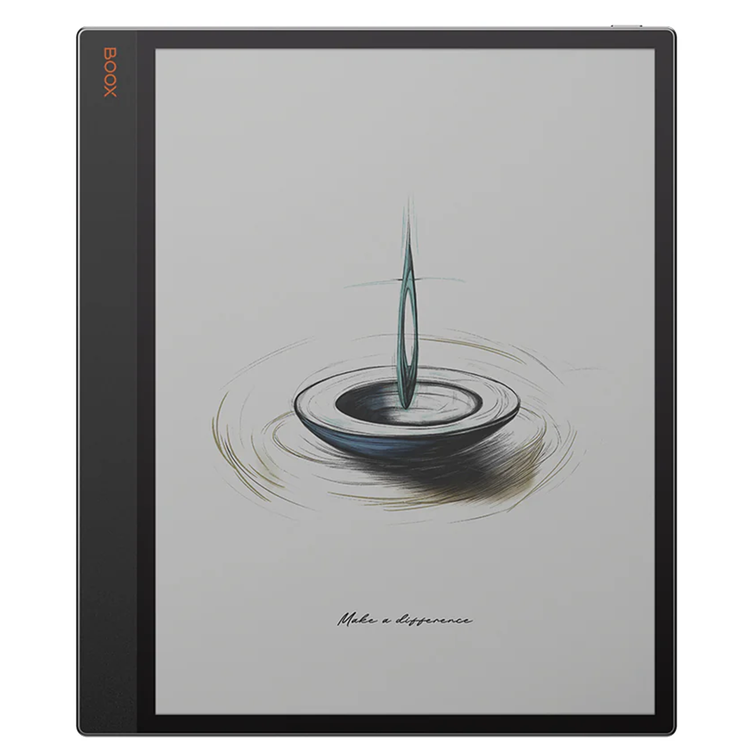
Onyx Boox Tab X C The 13.3" color ePaper tablet for enhanced productivity and intentional living. - 13.3" Kaleido 3* ePaper Display: Eye-friendly &; Responsive- Fine-tune the front lights to your need.- Support InkSpire Stylus**- The Ultimate Tool for Modern Productivity- A broad range of functionality and tools you need. A tool as sharp as your ideas. The Tab X C combines digital convenience and advanced tools in an ultra-slim 5.3 mm design. Its sleek, professional aesthetic seamlessly adapts to any work environment.
Spacious. Colorful. Easy on the eyes. The wide, colorful canvas delivers a comfortable viewing experience, free from the harsh glare of traditional screens. Its gentle, natural hues make browsing, reading, and multimedia tasks effortless and enjoyable. - Close to A4 Size: to Work with Extensive Materials Easily- New Stylus Input: for Intuitive Writing Experience- 300 PPI + 150 PPI: for Sharp Text and Images- Dual-tone Front Light: for Day &; Night Ideas without Eyestrain
Responsive. Powerful. Up to 2.84 GHz 7nm Process TechnologyThe Tab X C seamlessly transitions between work and life, thanks to its advanced octa-core processor and 6GB of RAM. With BOOX Super Refresh Technology***, it effortlessly manages complex tasks and provides smooth web browsing.
Personalized. App Freedom. It's a color ePaper tablet.At its core, it is a productivity hub that provides solid performance for everyday tasks, reduces eyestrain, and minimizes distractions. Only what you need.Build an intentional workspace.
All in one. A versatile hub for work, life, and everything in between. Smart Writing ToolsEasily develop ideas, review documents, or transform rough scribbles into refined shapes, highlights, and underlines with Smart Scribe tools. With a broad selection of templates, brushes, and layers, your workflow becomes smoother and more intuitive.
Efficient Data AnalysisTurn complex data into actionable insight. Color differentiation in data analysis can be very helpful, as it makes data visualizations more engaging and easier to understand, thereby enhancing comprehension.
Relaxing Leisure ReadsEnjoy lifelike colors and sharp details on a wide display crafted for every reader. With the built-in NeoReader, you can highlight, annotate, and adjust themes to fit your mood or task. With support for various formats****, accessing your reading materials is simple and convenient.
Seamless MultimediaIt offers multimedia capabilities that cater to various needs, including file management and effective note-taking. By combining different media types like text, graphics, and audio into one digital file, it delivers a rich and engaging experience for reading and writing.
Experience intuitive workflow. With split-screen mode, you can easily view project plans while keeping an eye on progress updates, compare data sets side-by-side for thorough analysis, or review documents while jotting down notes.This multitasking capability promotes smooth workflow management, saving time and boosting efficiency. Cloud storage services like Onyx Cloud, Google Drive, Dropbox, and OneDrive enable seamless access across devices. You can also easily transfer files between your Tab X C and other devices using BOOXDrop*****. Navigate your tasks effortlessly with a user-friendly home screen. The tablet-like interface lets you personalize widgets for quick access to important updates.
Note *
The Kaleido 3 screen is E Ink's most recent ePaper color screen. It offers a relatively high refresh rate, relaxing hues, and is ready for mass production with consistent quality. And with E Ink ComfortGaze™ on the Kaleido 3, a new front light technology, the Tab X C with adjustable front lights can offer a comfortable viewing experience day and night. The new screen and its front light technology may generate a tiny side shadow, which may be eliminated by adjusting the screen brightness and color temperature. **
The Tab X C only supports the new BOOX InkSpire stylus and is not compatible with the other ones. BOOX InkSpire stylus is an active pen that pairs directly with Tab X C (no Bluetooth needed). It supports wireless charging and magnetic attachment. It incorporates haptic feedback technology that responds to pressure, simulating the tactile sensation of using. ***
BOOX Super Refresh Technology (BSR) is an exclusive innovation unveiled by BOOX in 2022 to improve the refresh performance and image quality of its ePaper products. ****
Tab X C is compatible with 26 digital formats, , including 20 document formats like PDF, CAJ, DJVU, CBR, CBZ, EPUB, EPUB3, AZW3, MOBI, TXT, DOC, DOCX, FB2, CHM, RTF, HTML, ZIP, PRC, PPT, PPTX, as well as image and audio formats such as PNG, JPG, BMP, TIFF, WAV, and MP3. *****
BOOXDrop is a feature built into BOOX Android devices. Users can activate the BOOXDrop and use the LAN (Local Area Network) to perform two-way transfers quickly between BOOX and computer and mobile devices.
- Screen
- 13.3" Kaleido 3 (4,096 colors) glass screen with flat cover-lens
- Resolution
- B/W: 3200 x 2400 (300 ppi)
- Color
- 1600 x 1200 (150 ppi)
- Touch
- BOOX InkSpire stylus touch + capacitive touch
- CPU
- 2.8Ghz Octa-core + BSR
- RAM
- 6GB
- ROM
- 128GB
- Connectivity
- Wi-Fi + BT 5.0
- Sensor
- G-sensor for Auto Rotation
- Light
- Front Light with CTM (Warm and Cold)
- OS
- Android 13
- Document Formats
- PDF, CAJ, DJVU, CBR, CBZ, EPUB, EPUB3, AZW3, MOBI, TXT, DOC, DOCX, FB2, CHM, RTF, HTML, ZIP, PRC, PPT, PPTX
- Image Formats
- PNG, JPG, BMP, TIFF
- Audio Formats
- WAV, MP3
- Supports 3rd-party apps
- Yes
- Button
- Power Button
- USB-C Port (Supports OTG or use as an audio jack)
- Yes
- Built-in Dual Speakers
- Yes
- Built-in Microphone
- Yes
- Battery
- 5,500mAh Li-ion Polymer
- Dimensions
- 287.5 x 243 x 5.3 mm (11.3" x 9.6" x 0.21")
- Weight
- Approx. 625 g (22 oz)
- Certifications
- CE
- ROHS
- FCC
- TELEC
- UKCA
- WEEE
- NCC
As an international traveller you are entitled to bring a certain amount/value of goods that are free of Customs duty and exempt Goods and Services tax (GST) into New Zealand. This is called your duty free allowance and personal goods concession. It is important to review these for any purchases you make on The Mall.
Your duty free allowance entitles you to bring into New Zealand the following quantities of alcohol products free of customs duty and GST provided you are over 17 years of age. You do need to be 18 years or over to purchase.
- Up to six bottles (4.5 litres) of wine, champagne, port or sherry or
- Up to twelve cans (4.5 litres) of beer
- And three bottles (or other containers) each containing not more than 1125ml of spirits, liqueur, or other spirituous beverages
Goods other than alcohol and tobacco, whether purchased overseas or purchased duty free in New Zealand, that have a combined total value not exceeding NZ$700 may also be brought as part of your personal goods concession.
When travelling overseas there are legal limits on the amount of duty free alcohol and other goods you can take with you. These amounts will vary depending on the country you are flying into. We always recommend you check the latest limits and exemptions.
Your order can be picked up at an Auckland Airport Collection Point. There is one in departures and one at arrivals in the international terminal. Alternatively, if you are arriving between 11pm and 6am you will be able to collect your order from our lockers. See map
Please bring your order confirmation email and your passport. If you are collecting from lockers you will have been sent an email with your access code, be sure to have this on you in order to collect your order.
If you’re departing Auckland Airport, we recommend that you come to the Auckland Airport Collection Point at least 60 minutes before your flight. If you miss your pickup time or your flight details have changed please let us know as soon as possible.
When you collect your order you will have the opportunity to inspect the items and sign for them.
If you need to return an item, our Collection Point team are there to help you. If you are collecting after hours please return the item to your locker and our team will be in touch as soon as possible. You may also like to view our Returns & refunds which provides information on how this works and outlines the individual retailer's returns and refunds policies.
After Hours Collections
If your order needs to be collected after the Auckland Airport Collection Point desk is closed, your order will be placed in the lockers next to the desk. All the details you will need to collect your order will be provided in your Order Confirmation and Ready to Collect Email.